
GoDaddy Search Engine: What It Means and How to Get Your Website Found
The phrase “GoDaddy search engine” can refer to a few different things. Some people are looking for a search engine made by GoDaddy; others want to find a domain through GoDaddy or make a GoDaddy-hosted website appear in Google and Bing. Understanding the difference can help you take the right next step.
Is GoDaddy a search engine?
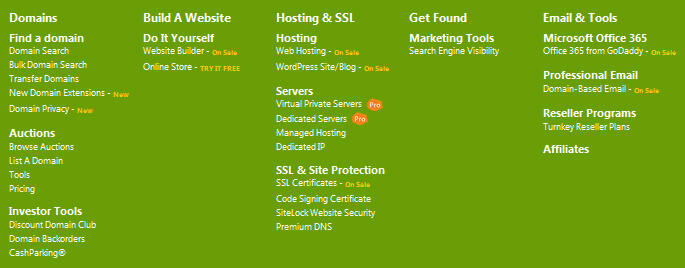
GoDaddy is not a general-purpose search engine like Google or Bing. It is best known as a domain registrar and a provider of website-building, hosting and online services. You can use its website to search for available domain names, but that is a search for domains—not a way to search the wider internet.
Searching for a domain on GoDaddy
If you want a web address for a new project, GoDaddy’s domain search lets you check whether a name is available to register. You can try different spellings or domain extensions if your first choice has already been taken. Before registering, consider whether the name is easy to remember, spell and say aloud, and whether it could be confused with another business or trade mark.
Domain availability and prices can change, so check the details on GoDaddy’s website before you buy. Registering a domain gives you the right to use it for the registration period, subject to the relevant terms; it does not automatically create a website or bring visitors to it.
Getting a GoDaddy website into search results
If your goal is to have a website built or hosted with GoDaddy appear in search results, the important task is search engine optimisation (SEO). Search engines discover and assess pages across the web. Simply buying a domain or publishing a site does not guarantee that it will be indexed or rank prominently.
To help search engines find and understand your website:
- Publish useful, original content. Write for the people you want to reach, and make each page clearly address a relevant topic or question.
- Use clear page titles and headings. Describe each page accurately and make its structure easy for people and search engines to follow.
- Make the site easy to navigate. Use straightforward menus and links between related pages.
- Check the mobile experience. Pages should be readable and usable on phones as well as computers.
- Set up Google Search Console and Bing Webmaster Tools. These services can help you monitor how search engines access your site and identify certain technical issues.
- Submit a sitemap where appropriate. A sitemap lists important pages and can help search engines discover them. It does not guarantee that every page will be indexed.
- Review technical settings. Make sure important pages are not accidentally blocked from crawling or marked as unsuitable for indexing.
GoDaddy’s website products and available SEO features can vary by plan and location. Check your account or the relevant product information to see what tools are included. You can also manage many SEO tasks independently, regardless of where your domain is registered or your website is hosted.
Does submitting a website guarantee a ranking?
No. Search engines decide which pages to index and where to rank them. Adding a website to a webmaster tool or submitting a sitemap can help with discovery and provide useful reporting, but it cannot guarantee inclusion, a particular position or a specific amount of traffic.
SEO usually takes time. Results depend on factors such as the quality and relevance of your content, your website’s technical health, competition for the searches you care about and the experience visitors have on your site. Be cautious of anyone promising instant rankings or guaranteed top positions.
Choosing the right GoDaddy service
If you are starting a website, consider what you need: a domain name, website builder, hosting, business email or help with marketing. These are separate services, and the best choice depends on your requirements and budget. Compare the current features, renewal prices and terms before committing.
In summary
GoDaddy is not an internet search engine, but it can help you find and register a domain and create or host a website. To make that website easier to find in Google and Bing, focus on useful content, sound technical setup and a clear experience for visitors. A domain is the starting point; visibility in search results comes from building and improving the website over time.
5 Tips to Improve Your GoDaddy Website’s Search Engine Rankings
- Use relevant keywords in your GoDaddy website pages.
- Write clear page titles and meta descriptions.
- Connect your site to Google Search Console.
- Make sure your website works well on mobile.
- Keep your business details consistent across local listings.
Use relevant keywords in your GoDaddy website pages.
Use relevant keywords throughout your GoDaddy website pages to help visitors and search engines understand what each page is about. Start by thinking about the words your audience might use when searching for your products, services or information, then include them naturally in page titles, headings, body text and image descriptions where appropriate. Keep the writing clear and useful: avoid repeating keywords unnaturally or adding terms that do not accurately describe the page. Relevant, well-written content makes it easier for people to find what they need and can support your website’s visibility in search results.
Write clear page titles and meta descriptions.
Write a clear, unique page title and meta description for every important page on your GoDaddy website. The title should briefly describe the page and its main topic, while the description should give visitors a useful reason to click through from search results. Keep both accurate and natural, rather than repeating keywords or making promises the page does not fulfil. Search engines may sometimes show different text, but well-written titles and descriptions can help people understand what your page offers.
Connect your site to Google Search Console.
Connect your GoDaddy website to Google Search Console to see how Google discovers and indexes your pages. The free tool can highlight indexing issues, show which searches bring visitors to your site and help you monitor performance over time. Follow GoDaddy’s current instructions to verify ownership of your website, then check Search Console regularly. Verification does not guarantee higher rankings, but it gives you useful information for improving your site’s visibility in Google.
Make sure your website works well on mobile.
Make sure your website works well on mobile, as many visitors will view it on a phone or tablet. Choose a responsive design, use readable text and clear navigation, and ensure buttons and links are easy to tap. Keep pages quick to load and check that images and forms display correctly on smaller screens. A smooth mobile experience helps visitors find what they need and can support your website’s visibility in search results.
Keep your business details consistent across local listings.
Keep your business details consistent across local listings, including your business name, address, phone number and website. Check directories and map services regularly, and update any outdated information. Consistent details help customers find and contact you, while making it easier for search engines to verify your business and show accurate local results.

